
WizloAll Collections

How do I create a new role?

Go to Setup & tools → Roles & permissions.

Step 1: Go to Setup & tools → Roles & permissions.
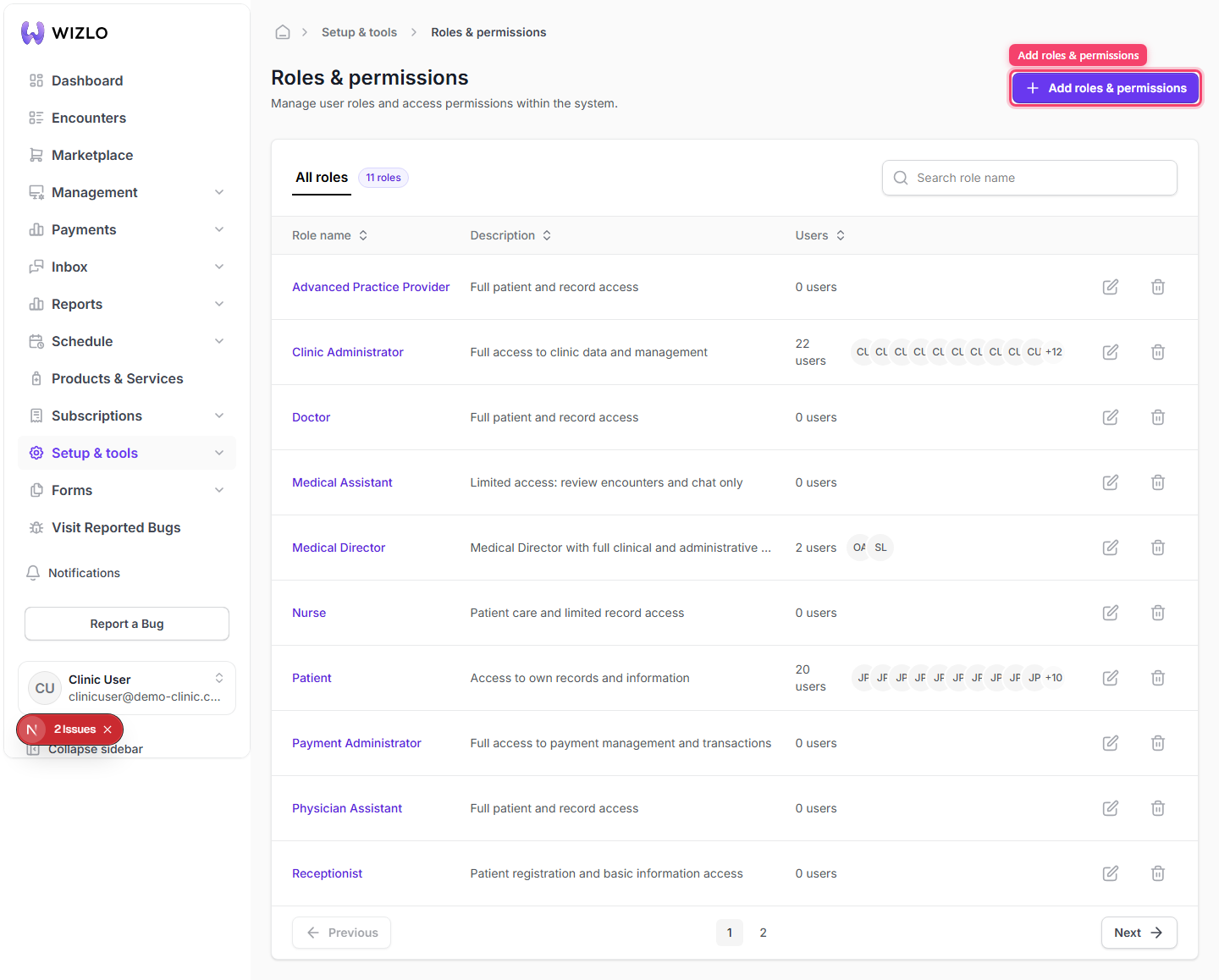
How do I create a new role? — Step 1: Go to Setup & tools → Roles & permissions.

Step 2: Click Add roles & permissions (only visible with the role-create permission).
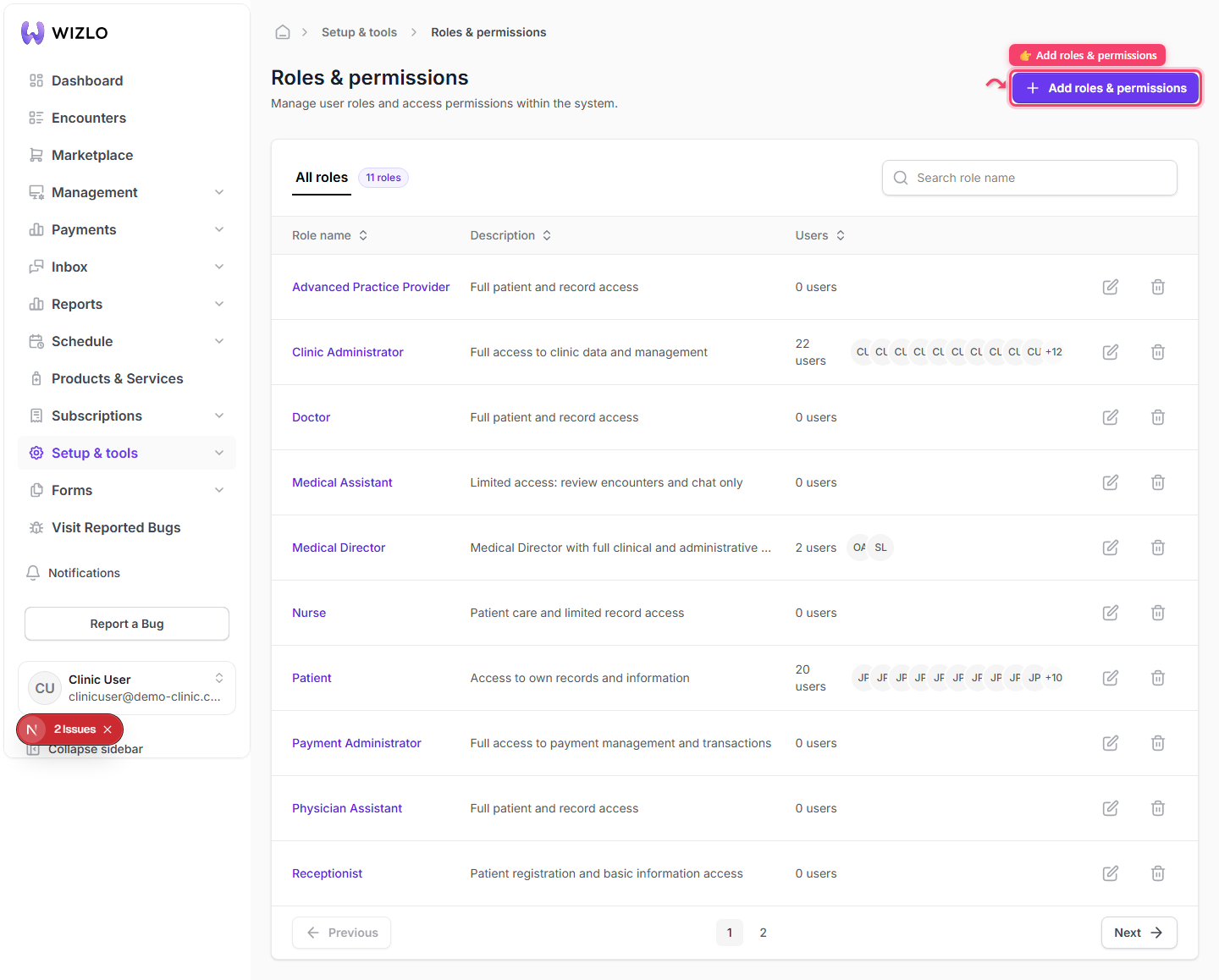
How do I create a new role? — Step 2: Click Add roles & permissions (only visible with the role-create permission).

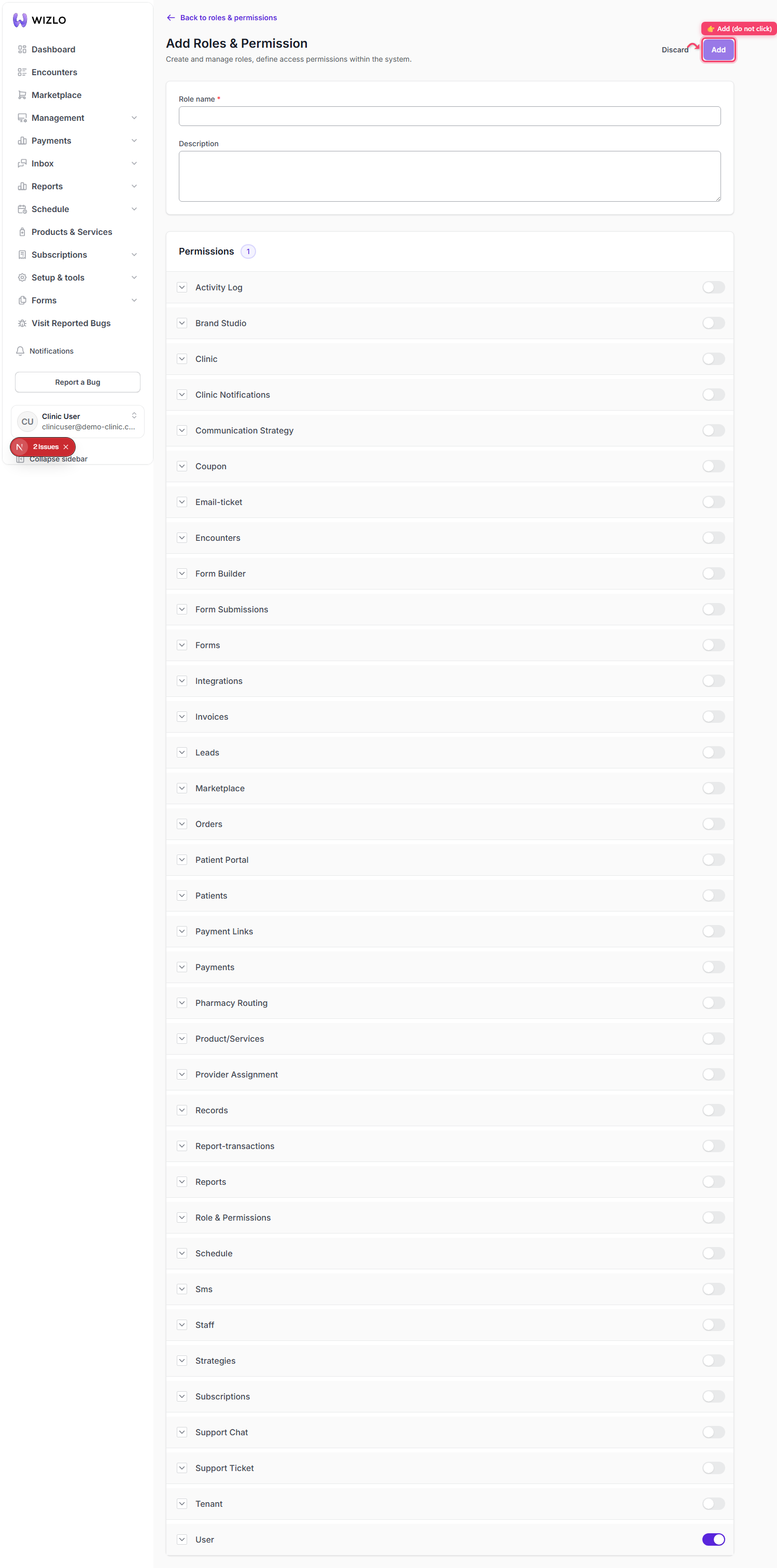
Step 3: Enter a Role name (required, max 70 chars, must contain at least one letter) and an optional Description.
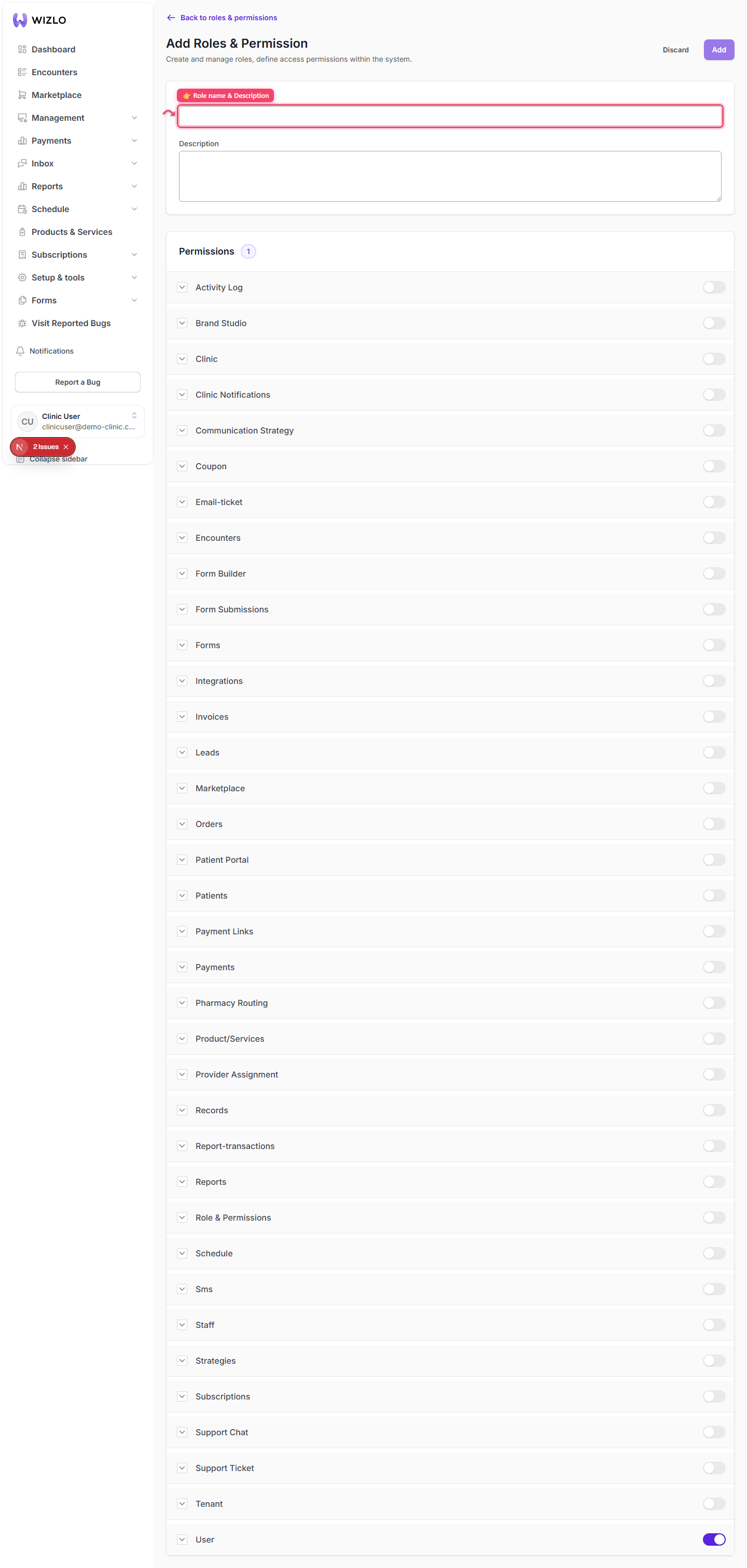
How do I create a new role? — Step 3: Enter a Role name (required, max 70 chars, must contain at least one letter) and an optional Description.

Step 4: In the permissions list, expand each subject (Patients, Staff, Orders, Encounters, etc.) and toggle the actions the role should have.
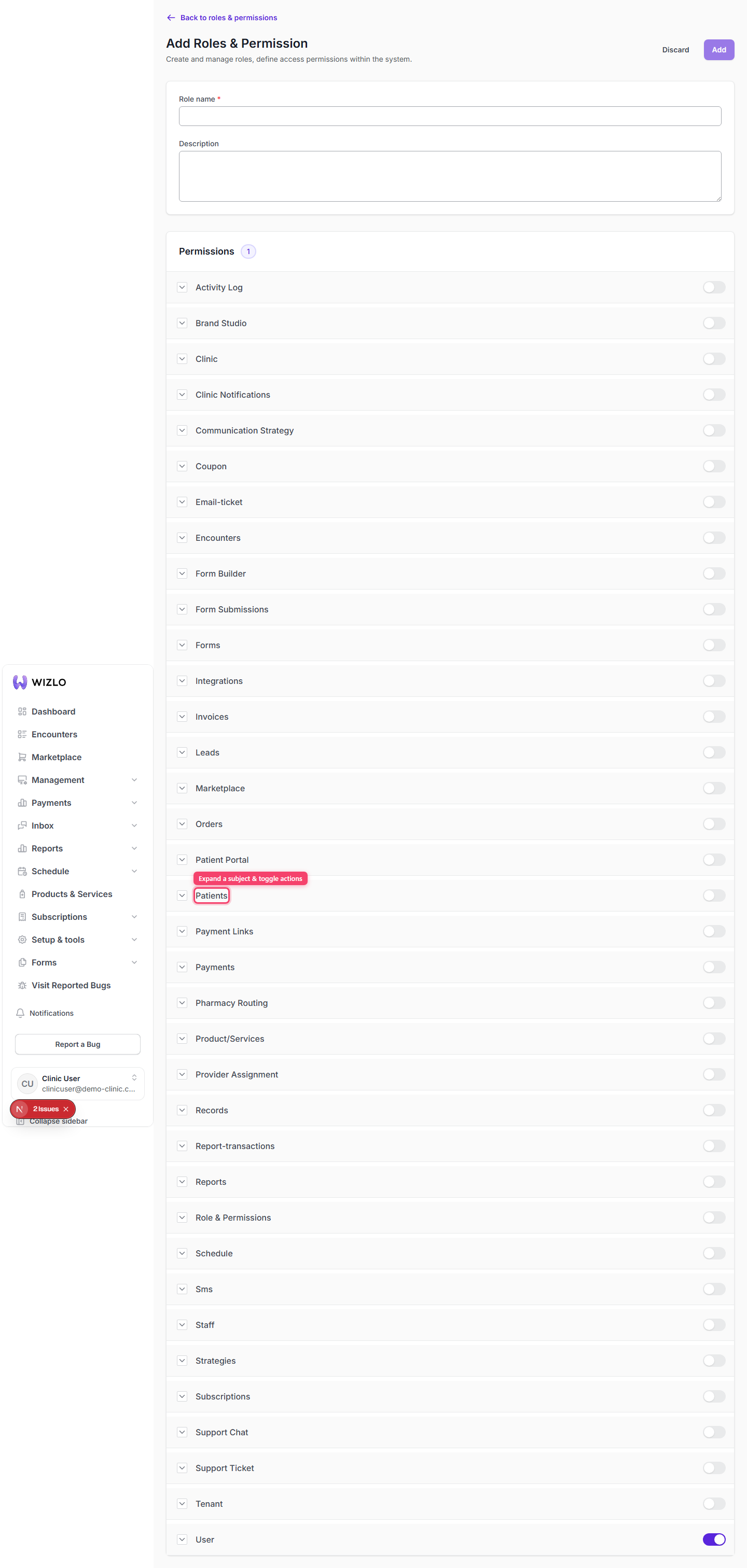
How do I create a new role? — Step 4: In the permissions list, expand each subject (Patients, Staff, Orders, Encounters, etc.) and toggle the actions the role should have.

Step 5: Click Add to save.
How do I create a new role? — Step 5: Click Add to save.
How do I create a new role? · Wizlo Help