
WizloAll Collections

How do permissions work?

From Roles & permissions (/setup/roles), click 'Add roles & permissions' to open the permission builder, or click an existing role's name to edit it — both show the same 'Permissions' panel with a badge counting how many subject-categories are currently enabled.
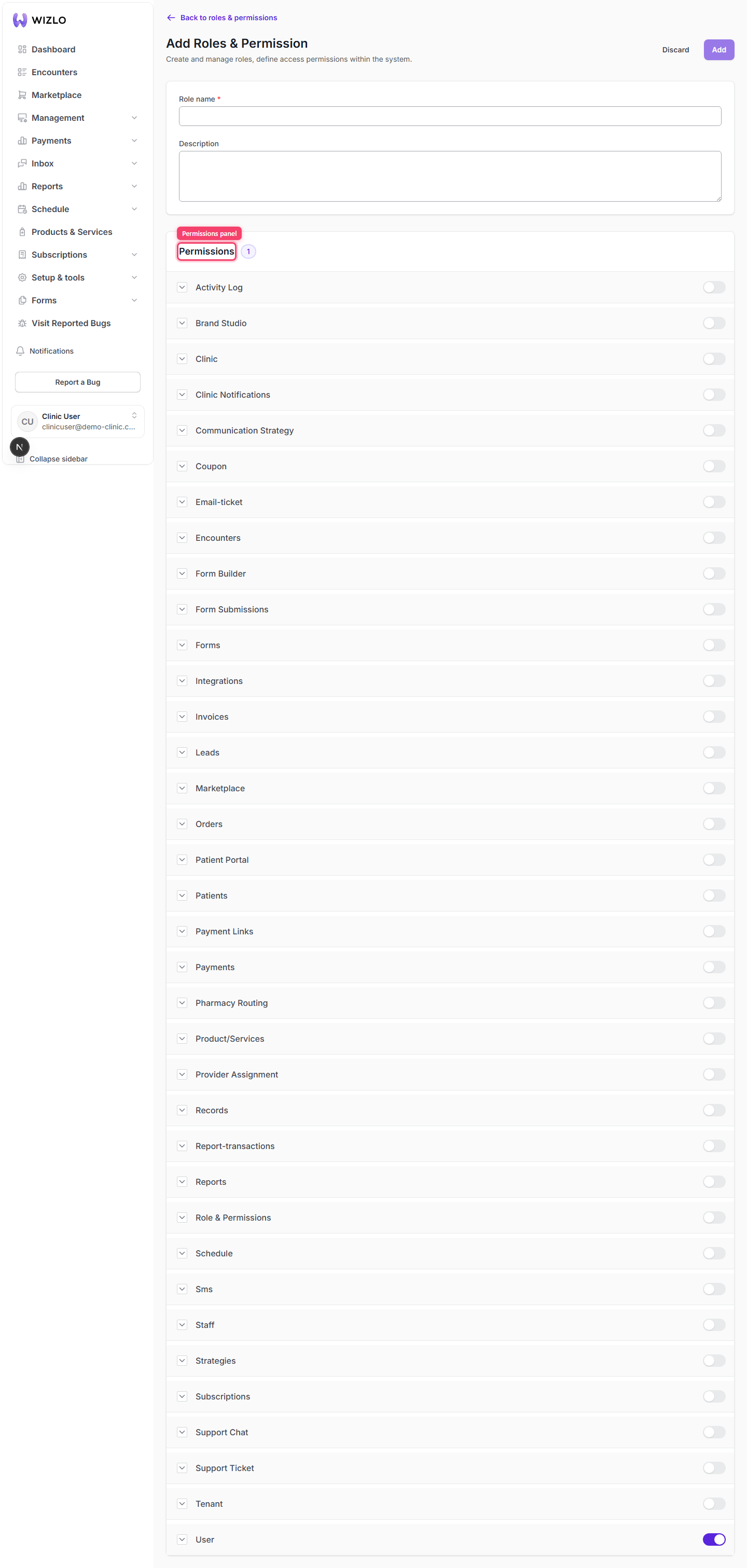
Step 1: From Roles & permissions (/setup/roles), click 'Add roles & permissions' to open the permission builder, or click an existing role's name to edit it — both show the same 'Permissions' panel with a badge counting how many subject-categories are currently enabled.

How do permissions work? — Step 1: From Roles & permissions (/setup/roles), click 'Add roles & permissions' to open the permission builder, or click an existing role's name to edit it — both show the same 'Permissions' panel with a badge counting how many subject-categories are currently enabled.

Step 2: Each row in the panel is a subject/category (e.g. Patients, Staff, Orders, Encounters). Click the chevron (˅/˄) next to its name to expand it and reveal its individual action toggles.
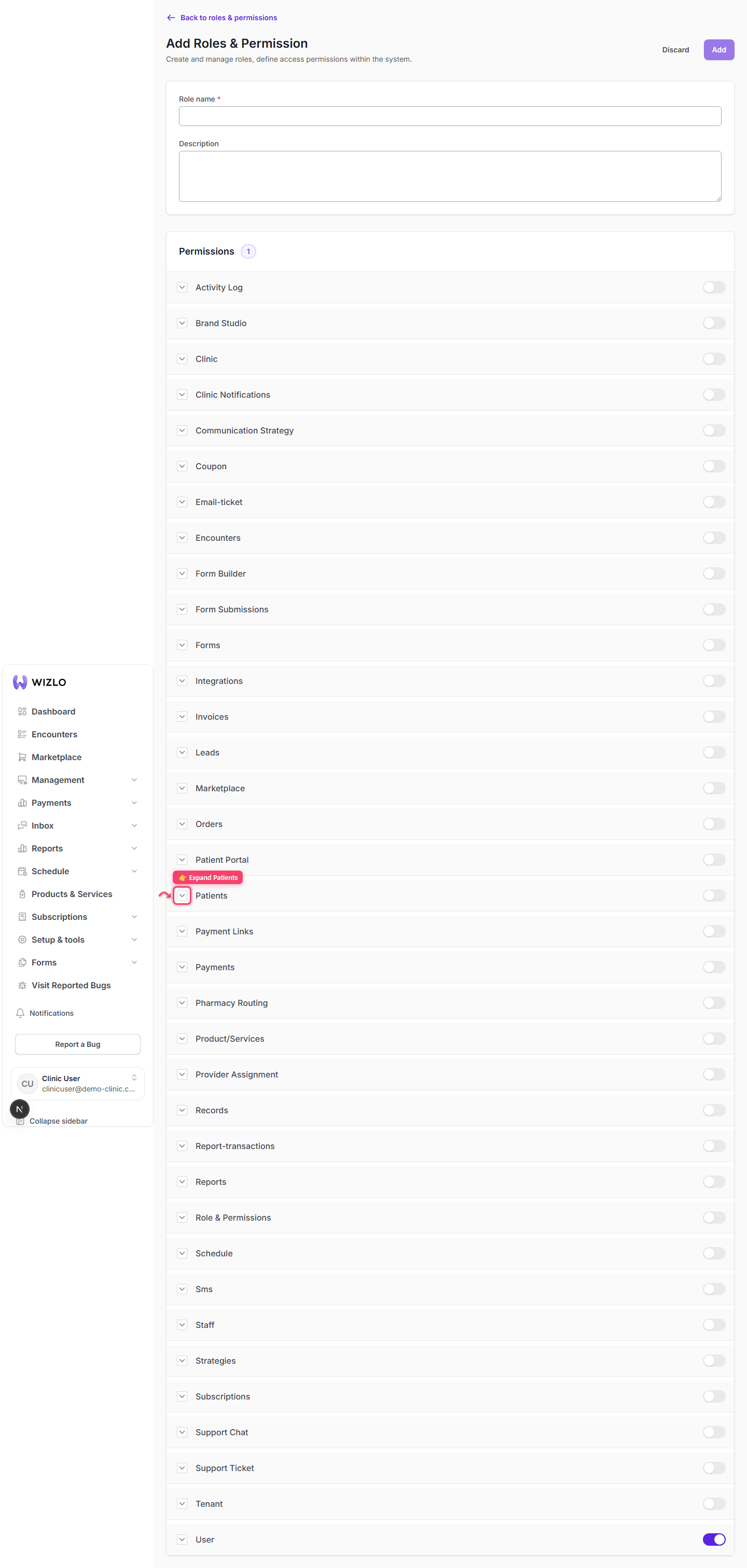
How do permissions work? — Step 2: Each row in the panel is a subject/category (e.g. Patients, Staff, Orders, Encounters). Click the chevron (˅/˄) next to its name to expand it and reveal its individual action toggles.

Step 3: Each subject-row also has its own on/off switch at the far right (hover shows 'Active' or 'Inactive') — flipping it turns every action under that subject on or off at once. This switch is rendered via this codebase's custom TooltipTrigger wrapper (`data-tooltip-trigger="true"` on the clickable element, no separate visible label) rather than a plain labeled button.
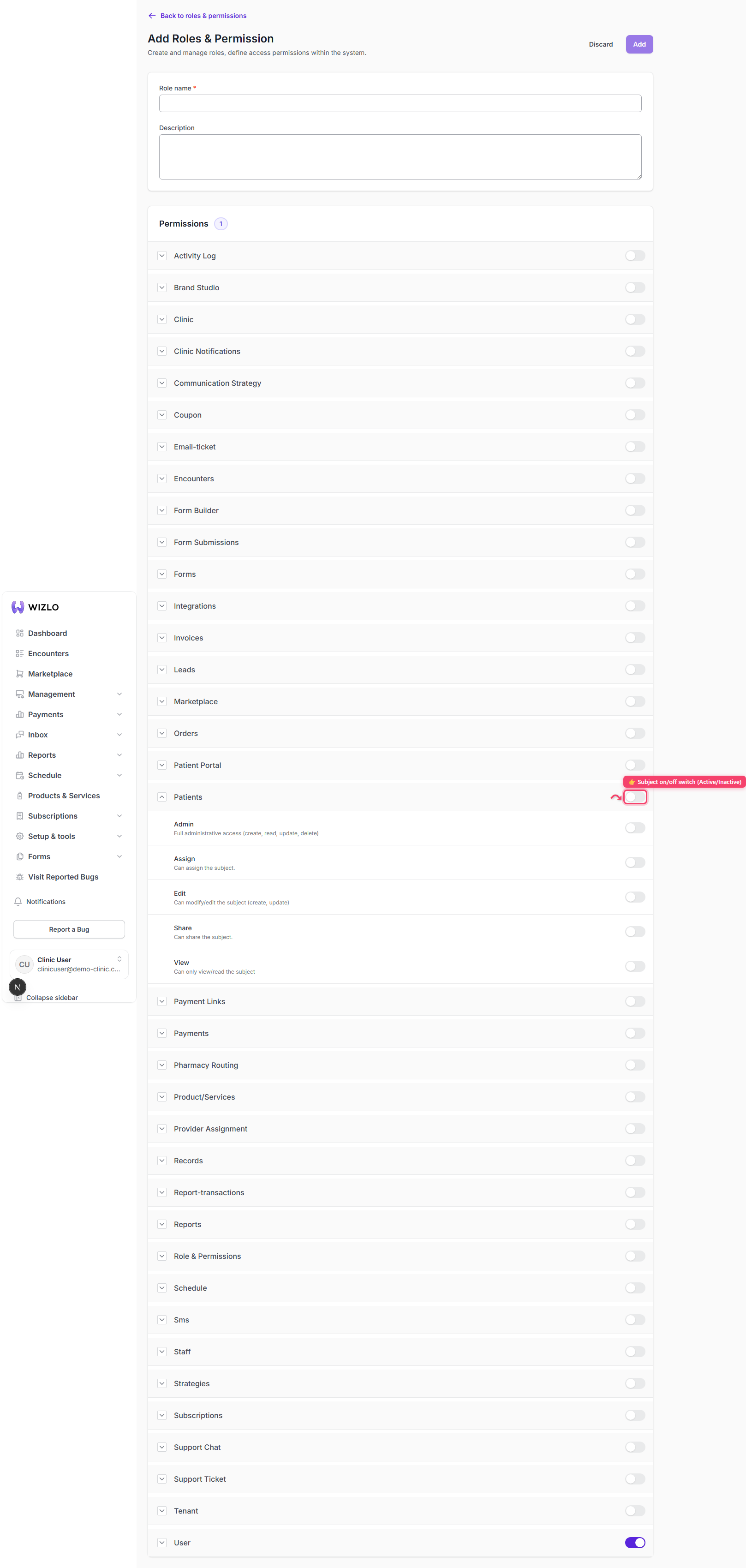
How do permissions work? — Step 3: Each subject-row also has its own on/off switch at the far right (hover shows 'Active' or 'Inactive') — flipping it turns every action under that subject on or off at once. This switch is rendered via this codebase's custom TooltipTrigger wrapper (`data-tooltip-trigger="true"` on the clickable element, no separate visible label) rather than a plain labeled button.

Step 4: Inside an expanded subject, each action (e.g. View, Create, Edit, Delete, Admin) has its own switch with a description underneath.
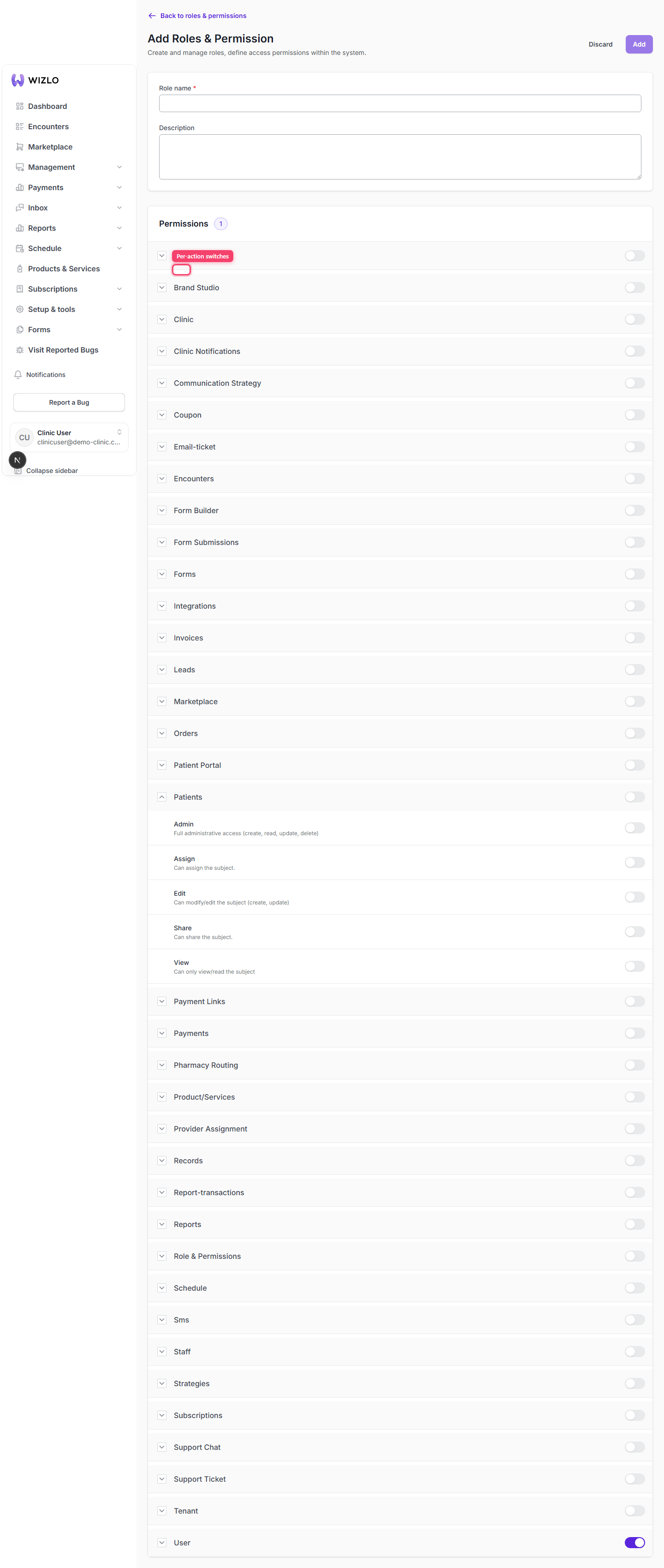
How do permissions work? — Step 4: Inside an expanded subject, each action (e.g. View, Create, Edit, Delete, Admin) has its own switch with a description underneath.

Step 5: Toggle behavior to know: turning on any action other than View auto-enables View for that subject; turning on Admin enables and locks every action for that subject (they become non-togglable while Admin is on); you cannot turn View off while any other action in that subject is still on — the UI shows an inline error toast instead.

How do permissions work? · Wizlo Help