
WizloAll Collections

Why can't I delete a role?

Go to Roles & permissions (/setup/roles) and find the role's row.

Step 1: Go to Roles & permissions (/setup/roles) and find the role's row.
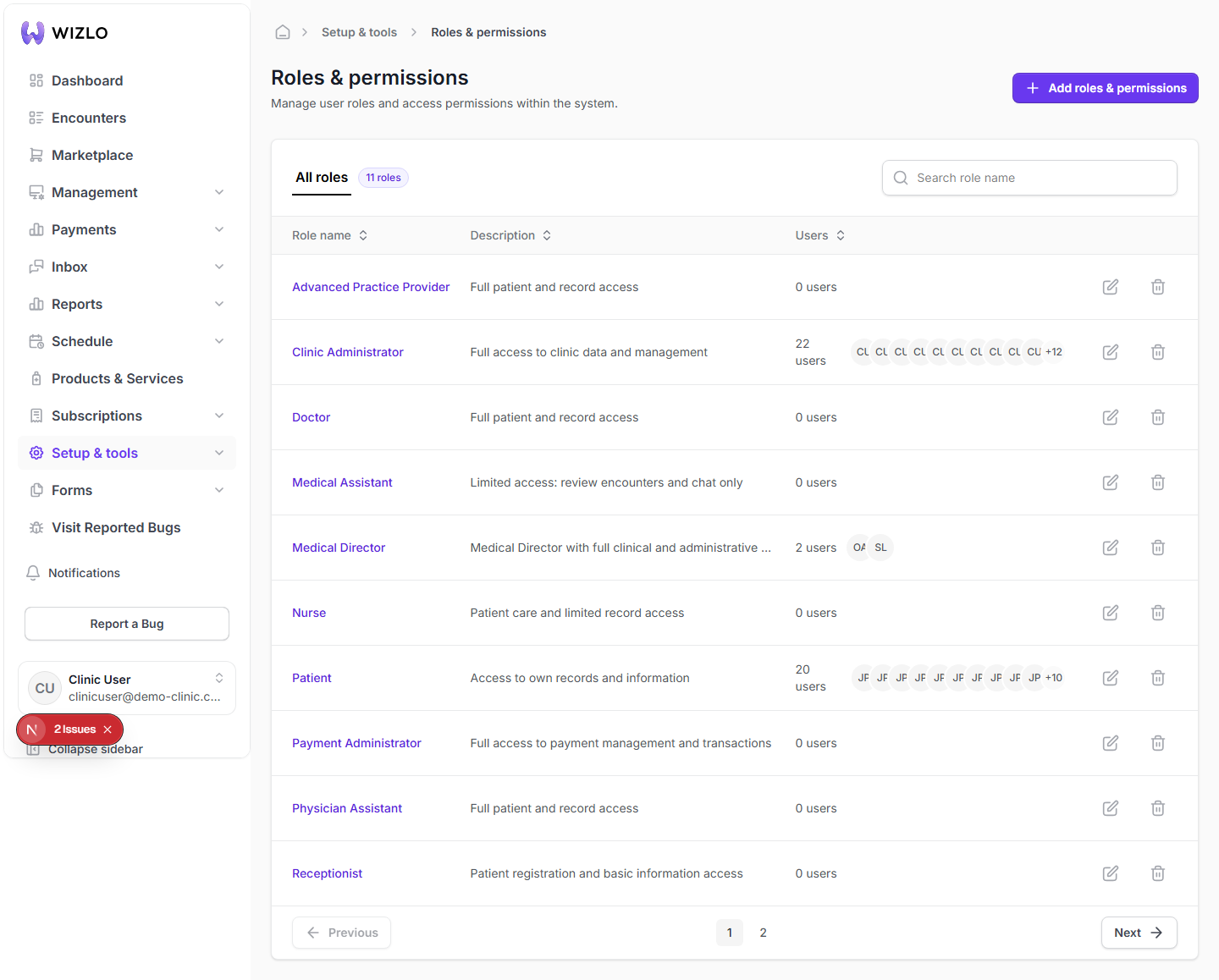
Why can't I delete a role? — Step 1: Go to Roles & permissions (/setup/roles) and find the role's row.

Step 2: Look at the trash-can icon at the right edge of that row, in the unlabeled Actions column. This icon is a Tooltip+TooltipTrigger-wrapped icon button with no accessible name text of its own (the tooltip text is the only place the label 'Delete' lives) — so it should be described to a reviewer as 'the trash icon in that role's row', not looked up by a button name. Hover the icon: if the role currently has one or more users assigned, it is greyed out and the tooltip reads exactly 'Cannot delete a role that has assigned users.' If the role has zero users but you personally lack the role-delete permission, it also stays disabled (tooltip just reads 'Delete', with no permission-specific message).
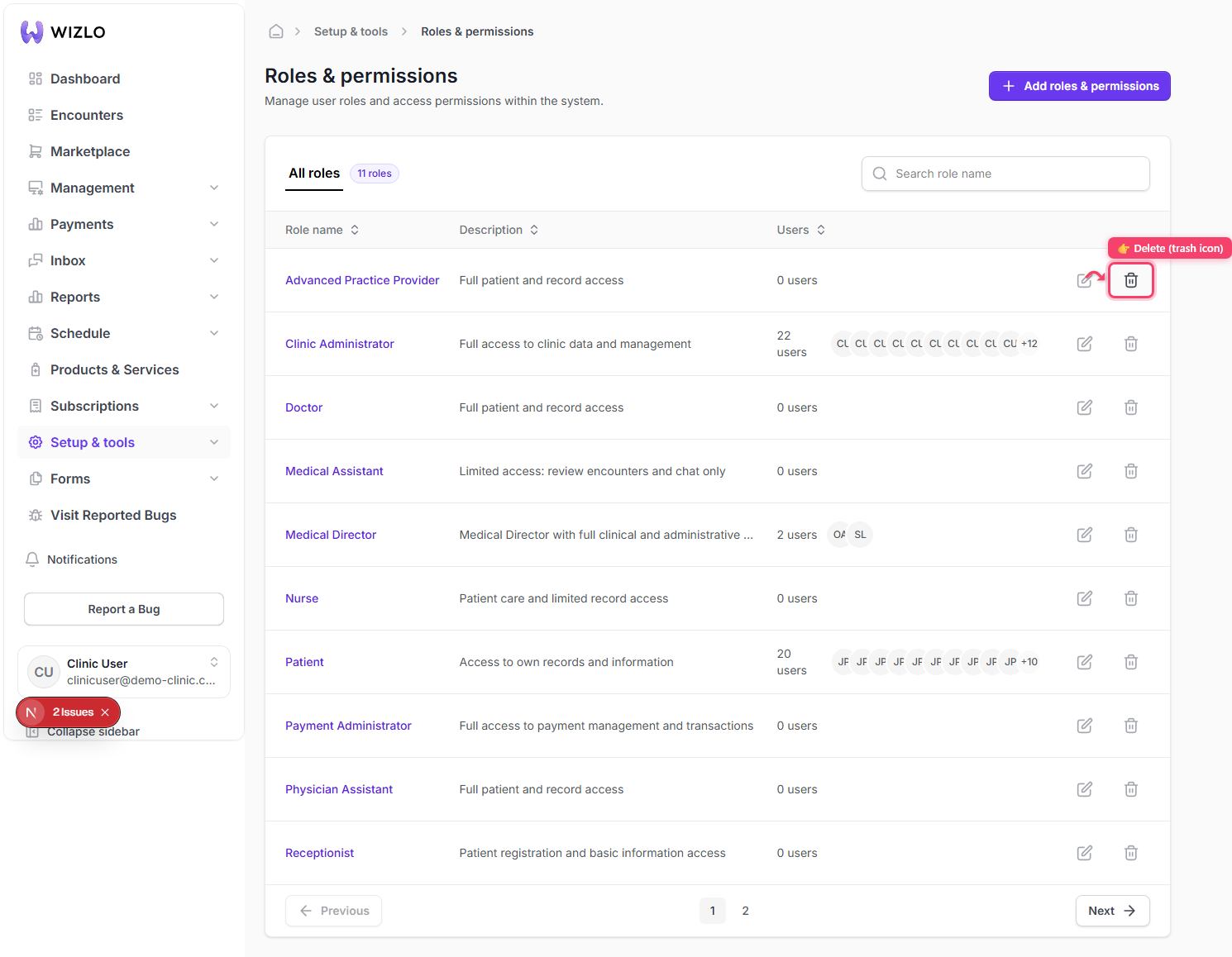
Why can't I delete a role? — Step 2: Look at the trash-can icon at the right edge of that row, in the unlabeled Actions column. This icon is a Tooltip+TooltipTrigger-wrapped icon button with no accessible name text of its own (the tooltip text is the only place the label 'Delete' lives) — so it should be described to a reviewer as 'the trash icon in that role's row', not looked up by a button name. Hover the icon: if the role currently has one or more users assigned, it is greyed out and the tooltip reads exactly 'Cannot delete a role that has assigned users.' If the role has zero users but you personally lack the role-delete permission, it also stays disabled (tooltip just reads 'Delete', with no permission-specific message).

Step 3: To make it deletable, reassign or remove every staff member currently on that role first (via Staff → Edit, or by giving them a different role) so its Users count drops to zero.

Step 4: Once enabled, clicking the trash icon opens a 'Delete role' confirmation dialog warning 'This action will permanently remove this role and its assigned permissions...' with Cancel / Delete buttons — do not actually click Delete when just walking through this.

Why can't I delete a role? · Wizlo Help